> For the complete documentation index, see [llms.txt](https://help.swarmia.com/llms.txt). Markdown versions of documentation pages are available by appending `.md` to page URLs; this page is available as [Markdown](https://help.swarmia.com/settings/personal/notifications.md).
# Personal notifications
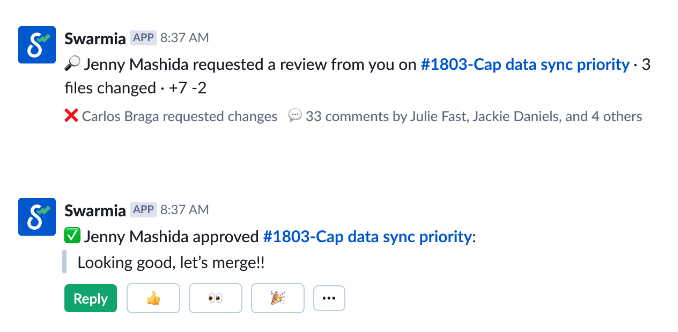
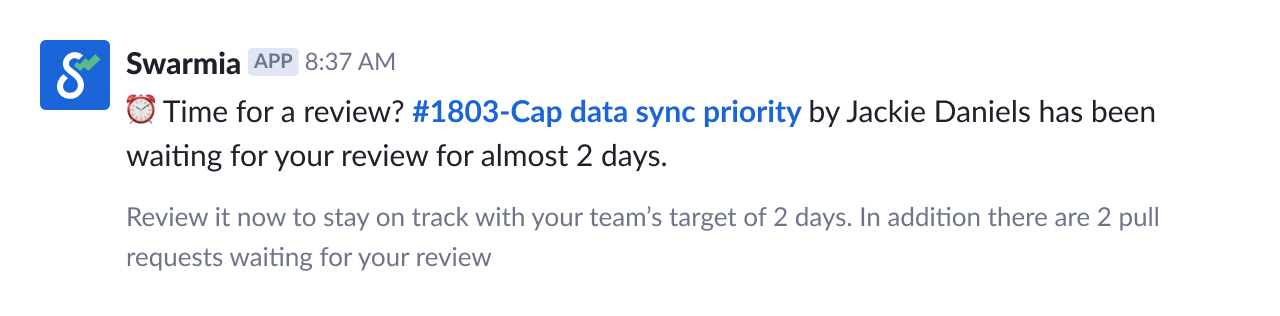
We know how easily notifications can become noisy. Swarmia's bot only sends you a direct message when an *action is required* in your GitHub workflow. In addition, you can customize what type of notifications you want to receive in your Swarmia profile.
Here are some concrete examples of how the notifications look like:
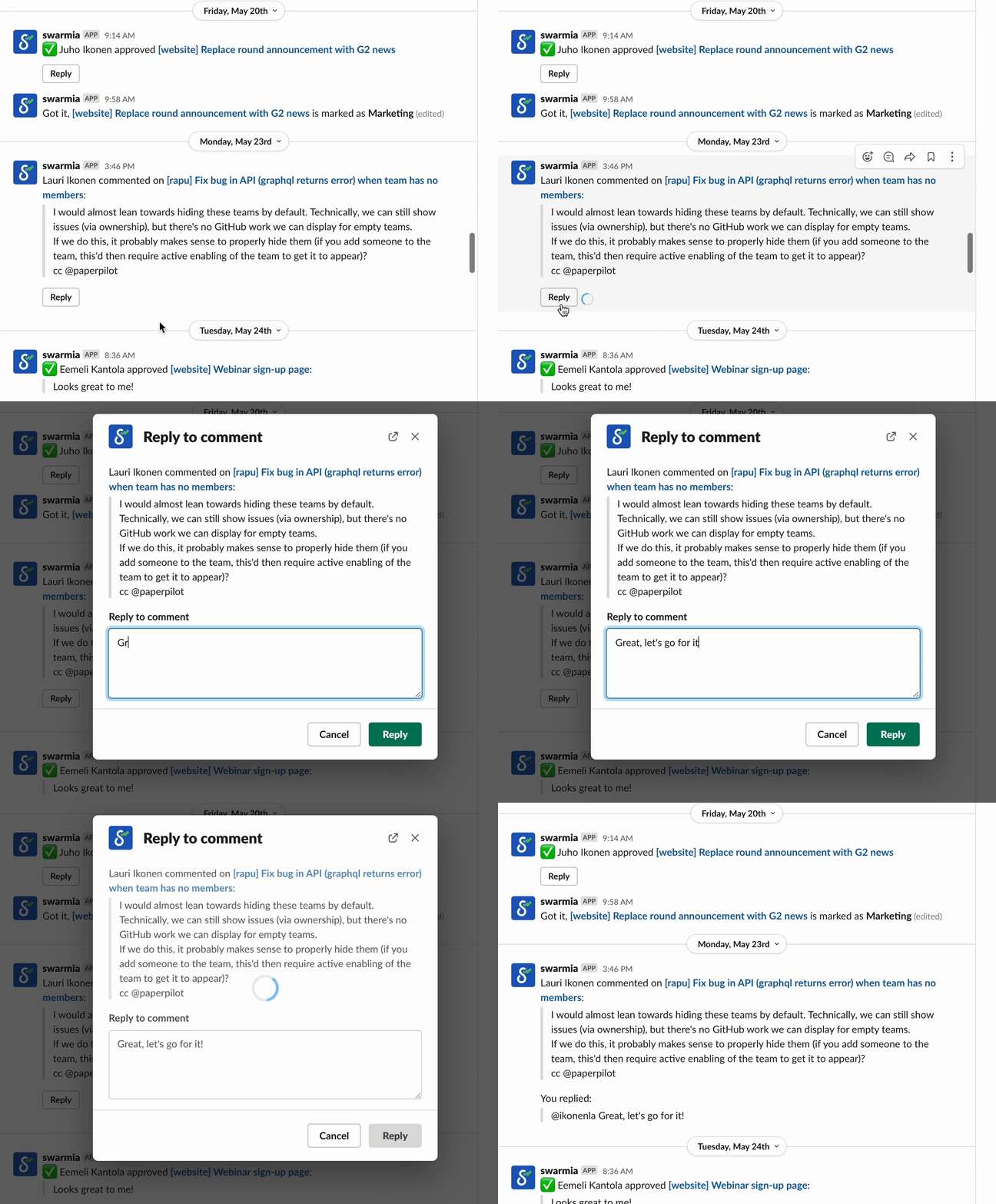
To ensure a smooth notification experience and minimise context switching, we've built a bunch of features into our Slack and Microsoft Teams integrations. For instance, you won't receive notifications about bot comments, and you'll be able to reply to comments directly via the Slack or Microsoft Teams bot to avoid jumping around.
You can also get a notification on failed CI checks and view the failure logs directly in Slack (Microsoft Teams coming soon).

### Getting started
Navigate to [Manage notifications](https://app.swarmia.com/notifications) under your profile picture to connect your Slack or Microsoft Teams account to Swarmia. Once connected, the bot will be able to send you direct messages with the following updates:
* Pull Request review requests
* Pull Request approval & comments
* Failed CI builds
* Once a Pull Request is merged, the bot helps you to link it to a relevant Jira issue
* Signals weekly digest — Weekly summary of active signals in your engineering metrics
{% hint style="info" %}
The Microsoft Teams integration does not yet support all of the notification types above, but we’re steadily expanding its capabilities.
{% endhint %}
{% hint style="info" %}
From January 22nd, 2025, onwards, the Slack connection is made automatically if the Slack account email matches the user's email in Swarmia.
{% endhint %}
---
# Agent Instructions
This documentation is published with GitBook. GitBook is the documentation platform designed so that both humans and AI agents can read, navigate, and reason over technical content effectively. Learn more at gitbook.com.
## Querying This Documentation
If you need additional information that is not directly available in this page, you can query the documentation by asking a question.
Perform an HTTP GET request on the following URL with the `ask` and `goal` query parameters:
```
GET https://help.swarmia.com/settings/personal/notifications.md?ask=&goal=
```
`ask` is the immediate question: it should be specific, self-contained, and written in natural language.
`goal` is what the user is ultimately trying to achieve, the reason they need the answer. Sharing it helps GitBook give you a better, more relevant answer. A goal is most helpful when it describes the outcome the user wants rather than restating the question. For example, with `ask=how do I create an API token`, a goal like `automate deployments from our CI pipeline` lets GitBook tailor the answer to that use case.
The response will contain a direct answer to the question and relevant excerpts and sources from the documentation.
Use this mechanism when the answer is not explicitly present in the current page, you need clarification or additional context, or you want to retrieve related documentation sections.