> For the complete documentation index, see [llms.txt](https://help.swarmia.com/llms.txt). Markdown versions of documentation pages are available by appending `.md` to page URLs; this page is available as [Markdown](https://help.swarmia.com/settings/organization/managing-users-and-roles.md).
# Roles and permissions
Overview of Swarmia access control.
## Managing access
* **GitHub.** If you're using GitHub to manage access, all members of your GitHub organization can access Swarmia with their GitHub login.
* **Okta, Google, and Microsoft Entra SSO.** With [Okta](/settings/integrations/authentication/okta-single-sign-on.md), [Google](/settings/integrations/authentication/google-single-sign-on.md), and [Microsoft Entra](/settings/integrations/authentication/microsoft-entra-id-single-sign-on.md) single-sign-on, you can control which users or groups have access to Swarmia.
## Roles and permissions
Swarmia supports role-based access control with the following roles and permissions:
* **Organization admin** can manage organization-wide settings and user roles.
* **Editor** can view most data and edit most settings, but can't manage sensitive organization settings, view engineering costs, access software capitalization, or create developer experience surveys.
* **Viewer** can view most data, but can't edit most organization or team settings, access software capitalization, or create developer experience surveys or initiatives. For Swarmia organizations created after October 17, 2025, viewer is the initial default role for new users.
* **Team admin** can manage the settings and assign or remove team admins for specific teams and their sub-teams. This role lets you delegate team configuration without granting organization-wide access. Team admins aren't counted as team members unless they're added as members.
Each Swarmia user has one organization-wide role (organization admin, editor, or viewer). They can also be a team admin for one or more teams, in addition to their organization-wide role.
The table compares access for each role. Edit includes view access. The team admin column shows additional access for managed teams and their sub-teams, on top of the user's organization-wide role. A dash means no access in an organization role column, or no additional access in the team admin column.
| Object | Org admin | Editor | Viewer | Team admin |
| ------------------------------------------------------------------------------------------------------------------- | --------- | ------ | ------ | ---------- |
| [User roles](#organization-wide-roles) | Edit | View | View | - |
| [Organization general settings](/settings/configuration.md#organization-settings) | Edit | - | - | - |
| [Engineering costs and cost settings](/features/ai-tools/ai-impact-roi.md#how-the-costs-are-calculated) | Edit | - | - | - |
| [Subscription](/resources/pricing-and-plans.md) | Edit | View | View | - |
| [Integrations](/settings/integrations.md) | Edit | View | View | - |
| [Org pull request filters](/settings/organization/pull-request-data-quality.md) | Edit | View | View | - |
| [Investment breakdowns](/settings/organization/investment-balance.md) | Edit | View | View | - |
| [Production environment filters and hotfix detection](/settings/organization/configuring-deployments-in-swarmia.md) | Edit | View | View | - |
| [Deployment applications](/settings/organization/configuring-deployments-in-swarmia.md) | Edit | Edit | View | - |
| [Author merge](/settings/organization/authors.md) | Edit | Edit | View | - |
| [Author attribute definitions and imports](/data-model/entities/organization/author-attribute.md) | Edit | Edit | - | - |
| [Initiatives](/features/focus/deliver-strategic-initiatives.md) | Edit | Edit | View | - |
| [Notes](/features/notes.md) | Edit | Edit | Edit | - |
| [API tokens](https://app.swarmia.com/settings/api-tokens) | Edit | - | - | - |
| [Survey creation](/features/run-developer-experience-surveys.md) | Edit | - | - | - |
| [Software capitalization](/features/capitalize-software-development-costs.md) | Edit | - | - | - |
| [WBSO timesheet approval](/features/capitalize-software-development-costs/timesheets.md) | Edit | - | - | Edit |
| [Team management](/settings/organization/managing-teams.md) | Edit | Edit | View | Edit |
| [Team pull request filters](/settings/organization/pull-request-data-quality.md) | Edit | Edit | View | Edit |
| [Team issue mappings](/settings/team/issue-ownership.md) | Edit | Edit | View | Edit |
| [Team notifications](/settings/team/team-notifications.md) | Edit | Edit | View | Edit |
| [Working agreements](/features/working-agreements.md) | Edit | Edit | View | Edit |
All roles can create, edit, and delete their own notes. Organization admins can also delete other people's notes, but only the author can edit a note.
### Assigning roles
#### Organization-wide roles
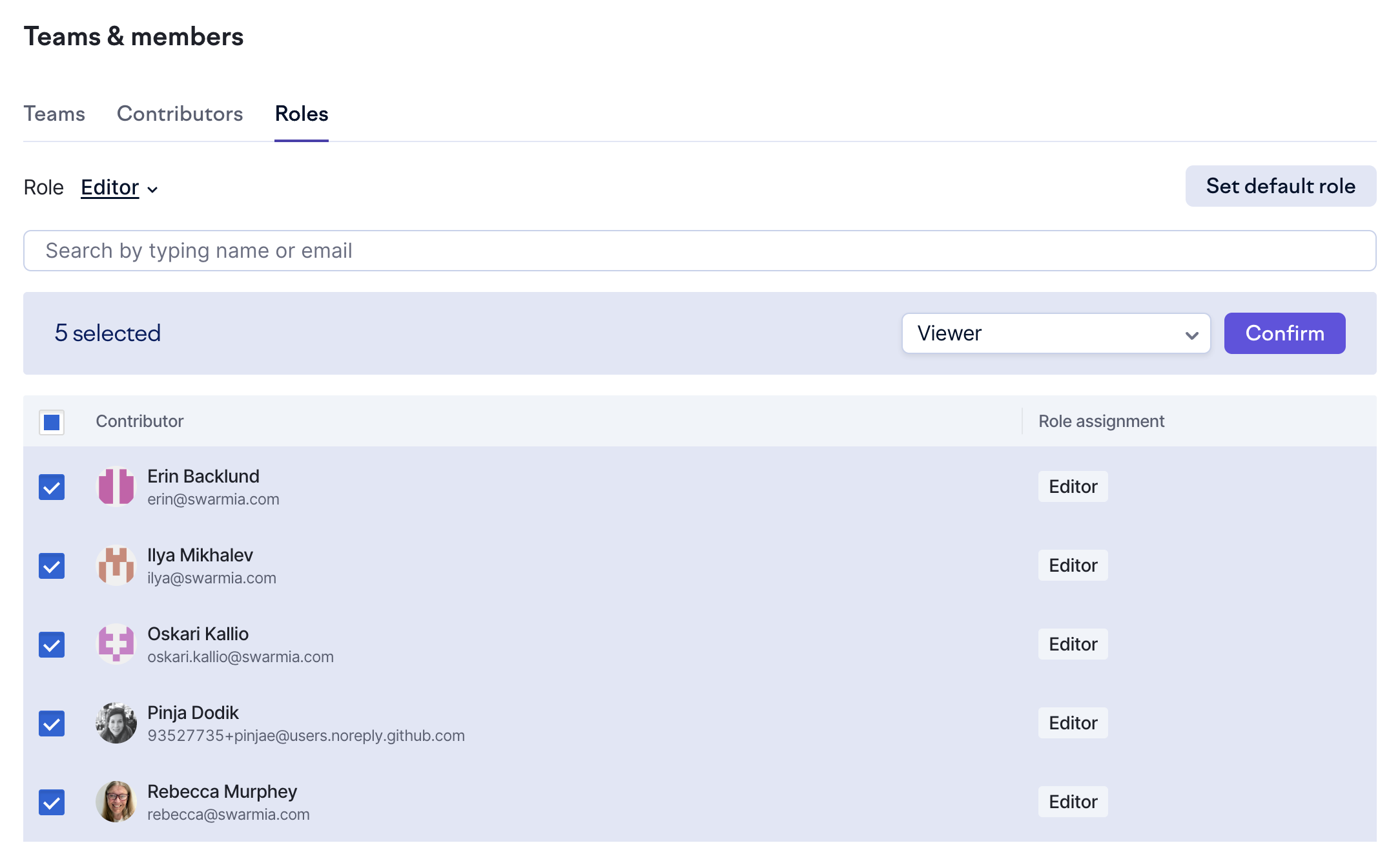
Organization admins can manage organization-wide roles in [Role settings](https://app.swarmia.com/settings/roles). You can filter users by role and change roles individually or in bulk. An empty role ("None" in the filter) indicates that the author hasn't signed up to Swarmia or been assigned a role. You can assign a role to an author before they sign up.
To change the default role for new users, click **Set default role** and select a role. You can't change the last organization admin to another role.
Select one or more authors to assign roles.
#### Team admins
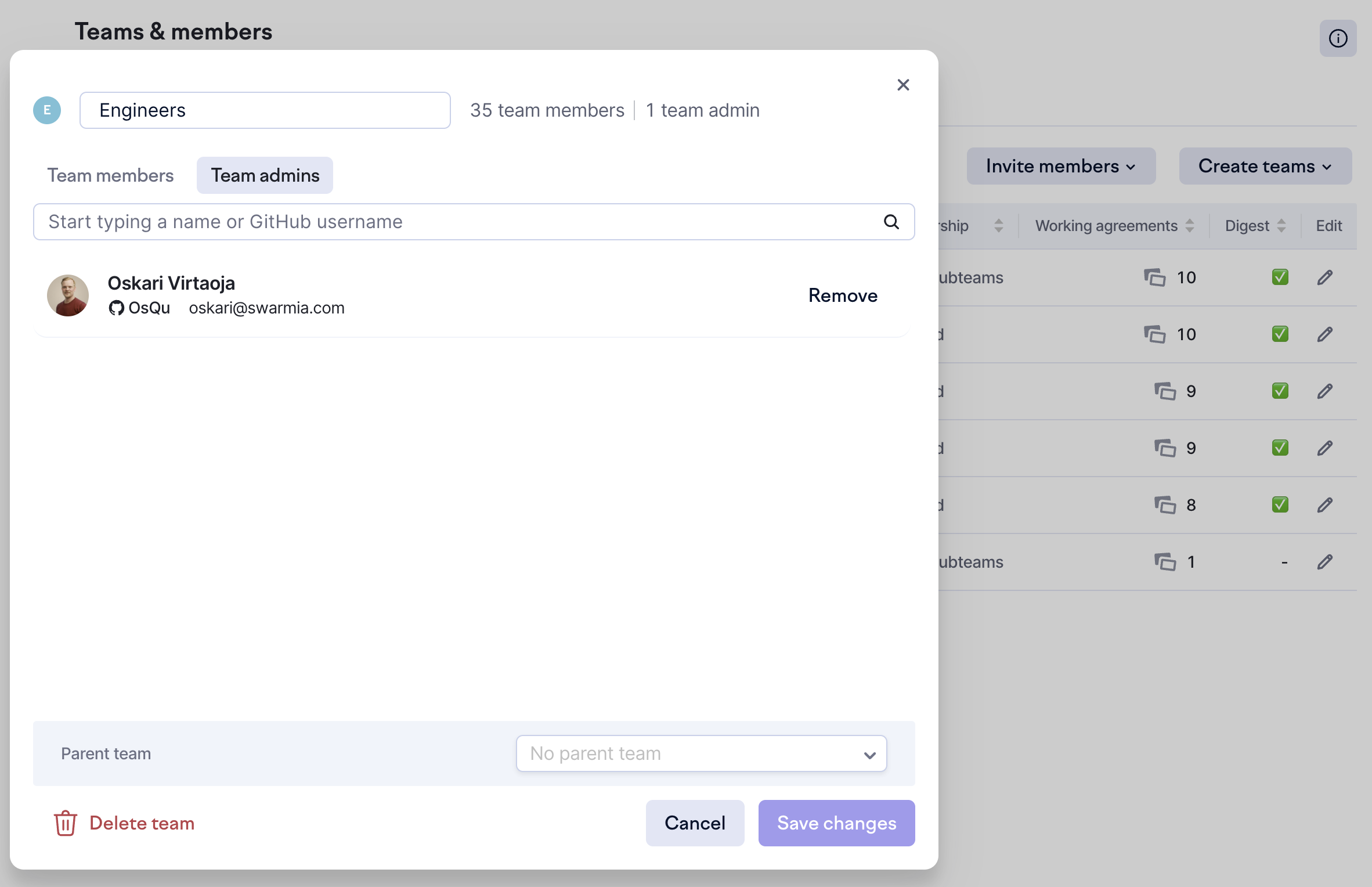
Organization admins can assign or remove team admins for any team. Team admins can do the same for their managed teams and sub-teams. In [team settings](https://app.swarmia.com/settings/teams), create or edit a team to assign its admins. The team settings page lists admins for each team and helps you identify teams without one.
Assign team admins by editing a team.
{% hint style="info" %}
**What do I do when my organization has no admins?**
If your Swarmia organization has no organization admins, email us at and we'll help you move forward.
{% endhint %}
---
# Agent Instructions
This documentation is published with GitBook. GitBook is the documentation platform designed so that both humans and AI agents can read, navigate, and reason over technical content effectively. Learn more at gitbook.com.
## Querying This Documentation
If you need additional information that is not directly available in this page, you can query the documentation by asking a question.
Perform an HTTP GET request on the following URL with the `ask` and `goal` query parameters:
```
GET https://help.swarmia.com/settings/organization/managing-users-and-roles.md?ask=&goal=
```
`ask` is the immediate question: it should be specific, self-contained, and written in natural language.
`goal` is what the user is ultimately trying to achieve, the reason they need the answer. Sharing it helps GitBook give you a better, more relevant answer. A goal is most helpful when it describes the outcome the user wants rather than restating the question. For example, with `ask=how do I create an API token`, a goal like `automate deployments from our CI pipeline` lets GitBook tailor the answer to that use case.
The response will contain a direct answer to the question and relevant excerpts and sources from the documentation.
Use this mechanism when the answer is not explicitly present in the current page, you need clarification or additional context, or you want to retrieve related documentation sections.