# Batch size
## Definition
Batch size is calculated by the lines of code changed (lines added + lines removed) in a given pull request.
### Excluding auto-generated files
Repositories often contain generated files, which could be related to e.g. package dependencies. In order to provide an accurate view of the real changes, Swarmia automatically cleans up the total change count of some commonly used generated files.
You can configure these exclusions in [Settings > Pull requests > File exclusions](https://app.swarmia.com/settings/pull-requests/file-exclusions). Swarmia provides an extensive set of default rules to filter out most common generated files.
## Example
A pull request with 541 lines added and 215 lines removed (**+541** **-215**) has a batch size of **756**.
## Why it matters
Splitting work into small increments is a great way to improve delivery. Small pull requests are easier to plan and review, and less risky to deploy.
Read more in [analyzing-pull-request-batch-size](https://help.swarmia.com/use-cases/improve-pull-request-flow/analyzing-pull-request-batch-size "mention")
## Batch size benchmarks
* **Great:** < 200 lines
* **Good:** < 500 lines
* **Needs attention:** ≥ 500 lines
## How to use it
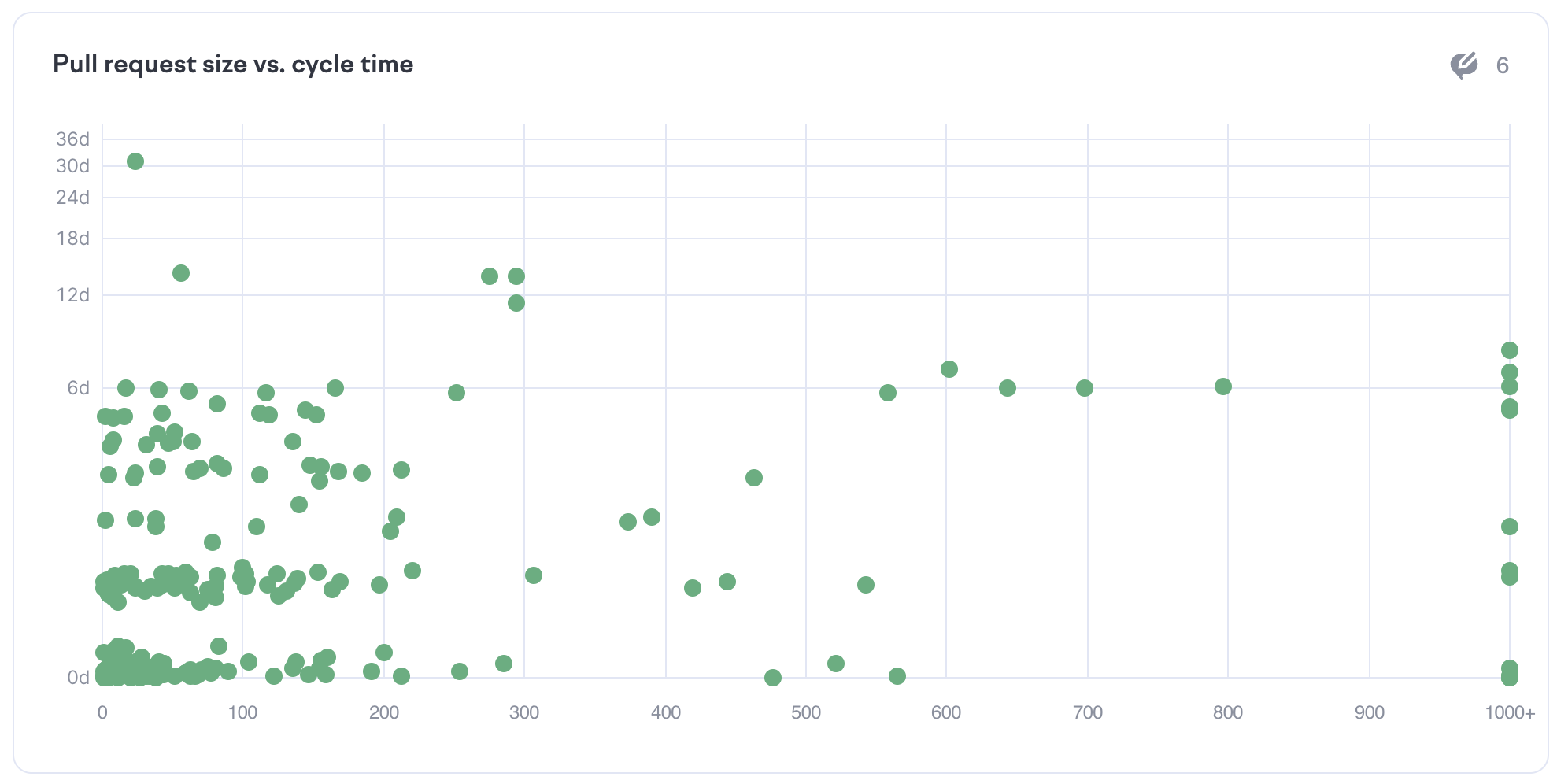
In Swarmia, the chart that shows the pull request size vs cycle time shows a set of pull requests in the selected time frame and charts them based on their individual cycle time and the total number of lines of code changed in the pull request. This chart allows you to see correlations between the size of a pull request and its cycle time.
Pull request size vs. cycle time plot in Swarmia
Seeing the distribution of larger batch sizes and higher cycle times can indicate that your team needs to focus on delivering smaller batch sizes. This change can improve not only your cycle time but also your quality.
See also [analyzing-pull-request-batch-size](https://help.swarmia.com/use-cases/improve-pull-request-flow/analyzing-pull-request-batch-size "mention")
## Where to find it
You can find batch size metrics under [Insights → Code → Batch size](https://app.swarmia.com/insights/code/batch-size).