> For the complete documentation index, see [llms.txt](https://help.swarmia.com/llms.txt). Markdown versions of documentation pages are available by appending `.md` to page URLs; this page is available as [Markdown](https://help.swarmia.com/guides/improve-pull-request-flow/pull-request-insights.md).
# Pull request insights
Diagnose cycle time issues, decrease review time and improve pull request workflow with Swarmia's pull request insights.
Getting high-quality data about your pull request workflow is the first step to a better understanding of process changes that improve velocity and quality — and our [**pull request insights**](https://app.swarmia.com/insights/code/overview) are here to help. Here are some highlights to get started:
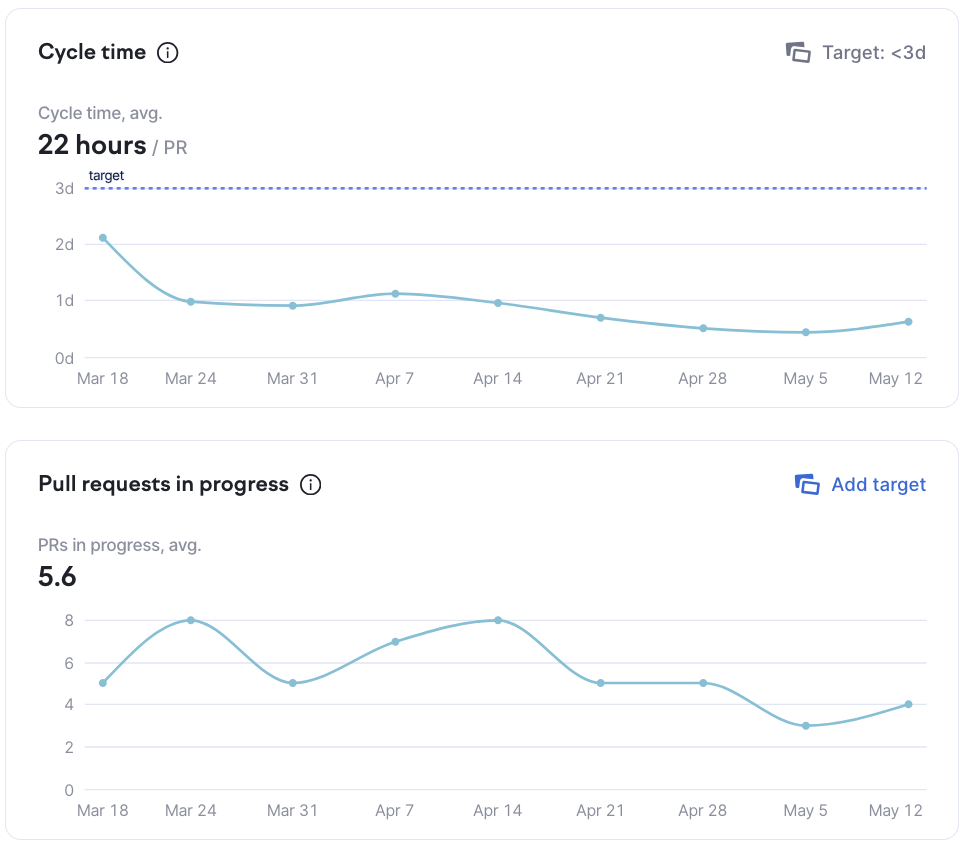
*Cycle time average* graph (top graph) shows how long it generally takes you to close pull requests, and how the situation develops over time. If you close pull requests timely, it trends down. Pull requests left open for several days result in an upwards trend. Aiming to close all pull requests in under a week (or 1–2 days on average) is a good starting point for continuous delivery. Now let's look into what contributes to cycle time.
Cycle time is influenced by many factors. *Pull requests in progress* graph (bottom graph) gives a clue into how your ability to close pull requests is affected by the number of pull requests worked on at once by the team. Working on too many pull requests at once can result in longer delivery times, and we recommend adding a [**work in progress limit**](https://app.swarmia.com/working-agreements/921c5965-1fa0-4042-99f1-62e289f848e3) to make sure pull requests don't pile up slowing the team down.
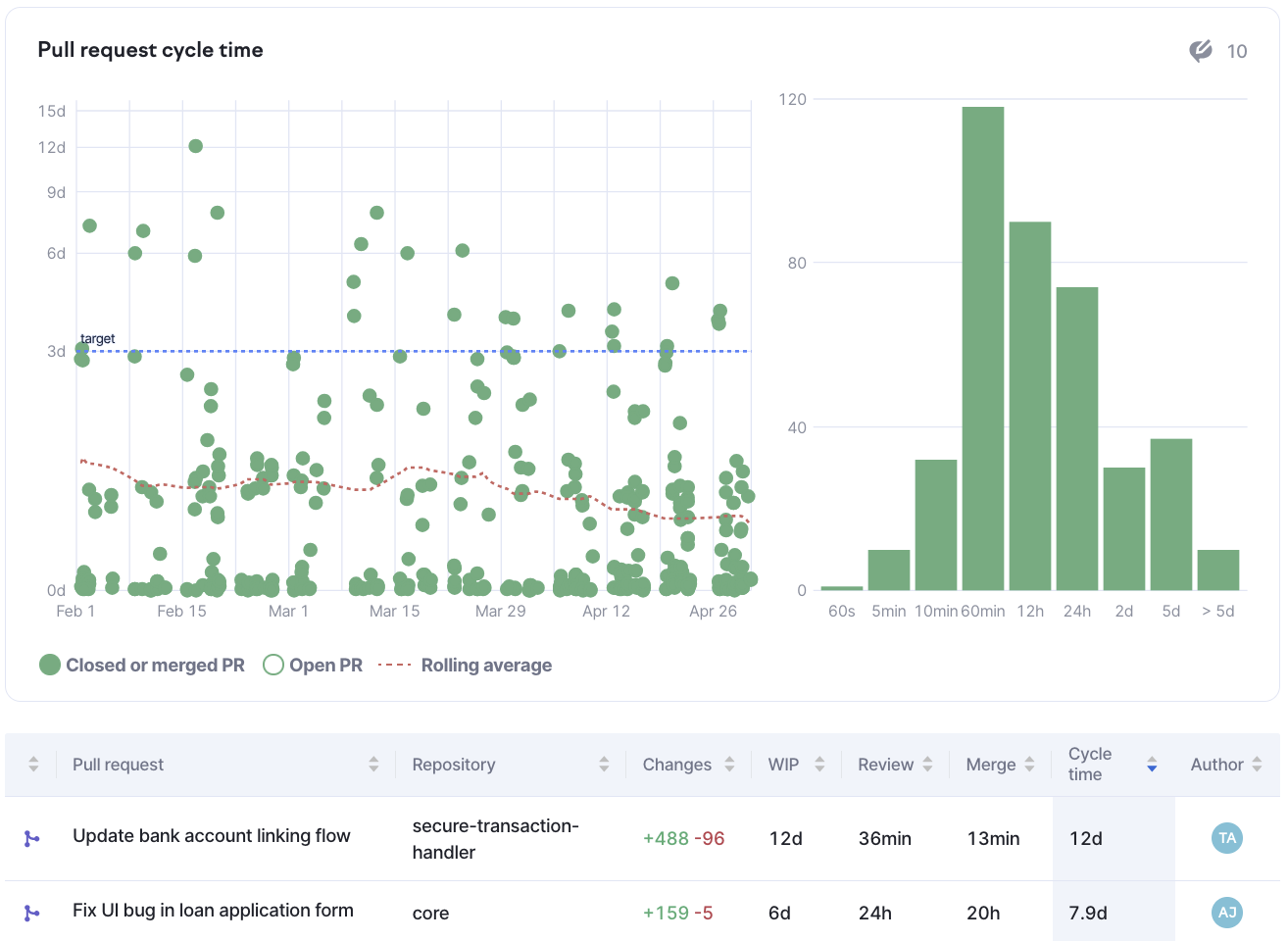
*Cycle time distribution chart* (on the right) shows what portion of pull requests takes longer than expected to complete, and individual pull requests are shown in the scatter plot on the left. Pull requests far above the rolling average line need special attention — it's the code that's been waiting for the longest to be delivered.
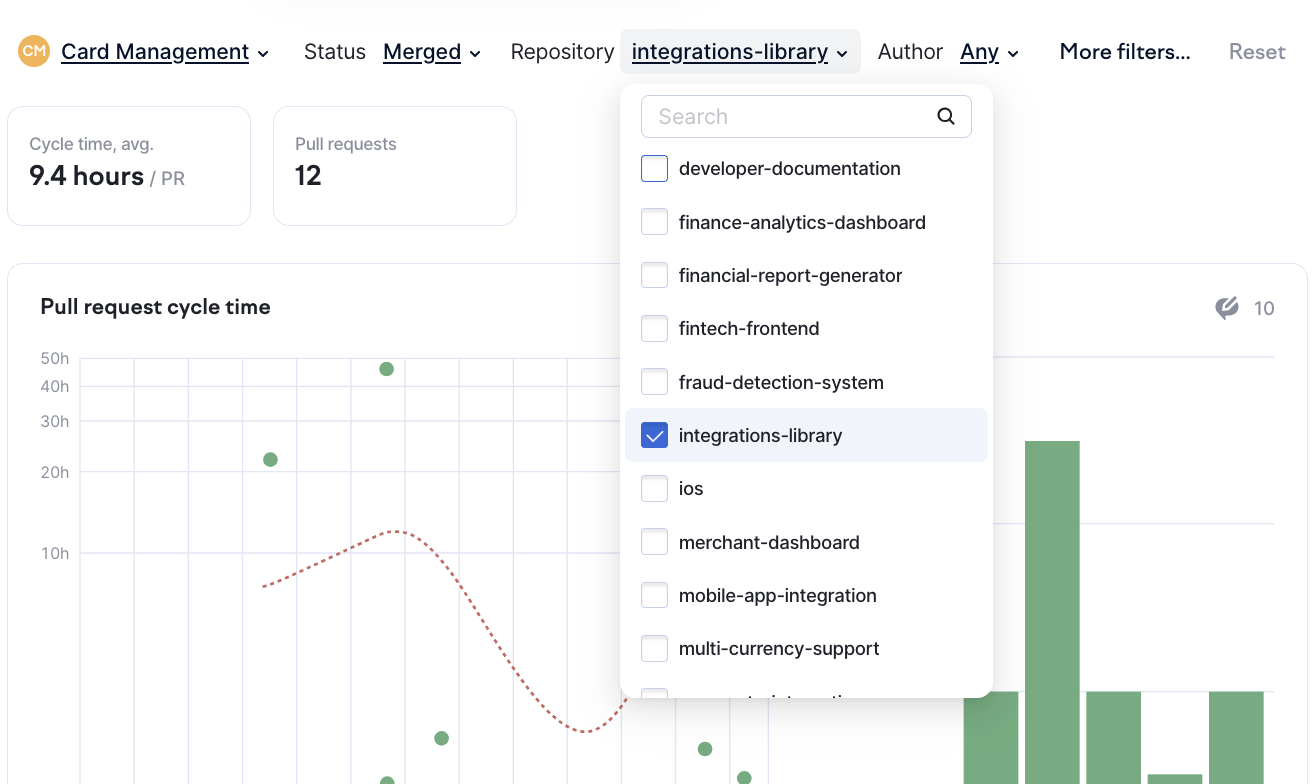
Filter the *pull request view* by status, repository, or author (by clicking the filters next to the team name) to identify problematic pull requests. Filters are applied to the table as well as the charts above it.
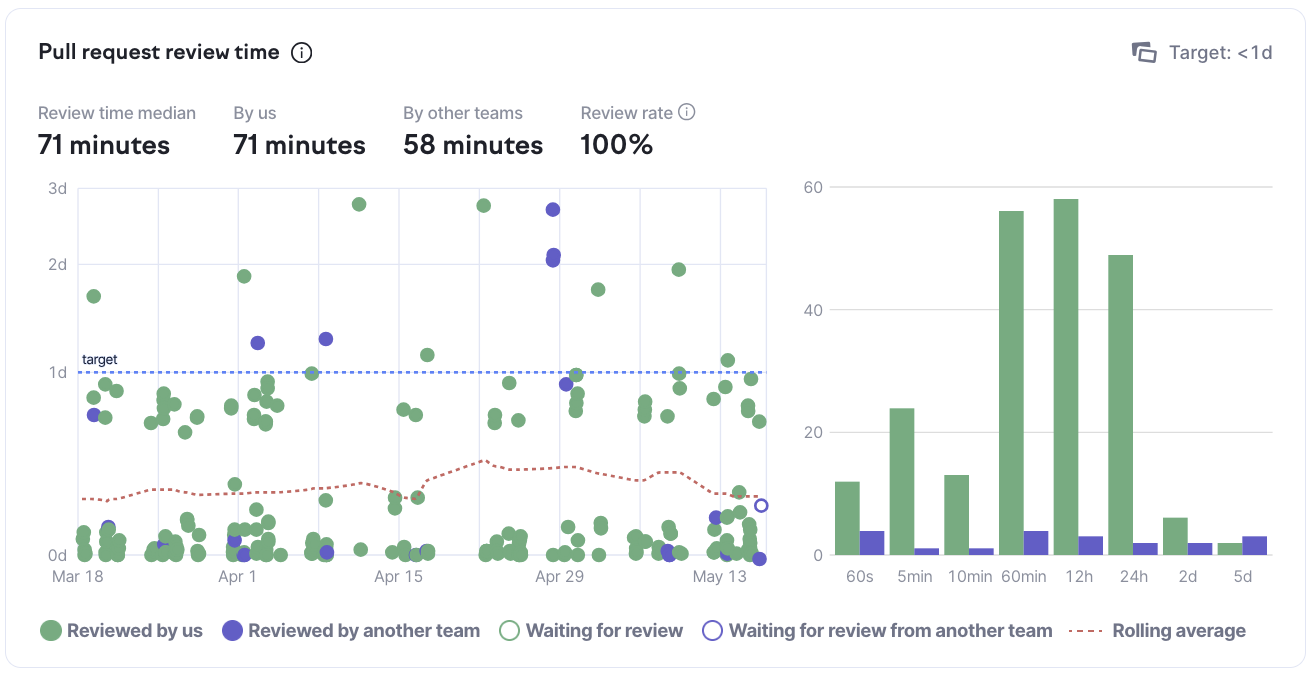
*Review time* is another important contributing factor to cycle time. Sorting the table by review time helps to identify pull requests that spent the longest in review — or were merged without review at all. The number of pull requests merged without review is reflected in the *review rate* above the chart.
Once you've identified patterns in your pull request workflow, consider discussing the following [**working agreements**](https://app.swarmia.com/working-agreements) with the team:
* Work in progress limit for pull requests (e.g. we don't leave more than 10 pull requests open at once)
* Cycle time target (e.g. closing pull requests in under 7 days)
* Review time limit (e.g. reviewing pull requests in under 48 hours)
---
# Agent Instructions
This documentation is published with GitBook. GitBook is the documentation platform designed so that both humans and AI agents can read, navigate, and reason over technical content effectively. Learn more at gitbook.com.
## Querying This Documentation
If you need additional information that is not directly available in this page, you can query the documentation by asking a question.
Perform an HTTP GET request on the following URL with the `ask` and `goal` query parameters:
```
GET https://help.swarmia.com/guides/improve-pull-request-flow/pull-request-insights.md?ask=&goal=
```
`ask` is the immediate question: it should be specific, self-contained, and written in natural language.
`goal` is what the user is ultimately trying to achieve, the reason they need the answer. Sharing it helps GitBook give you a better, more relevant answer. A goal is most helpful when it describes the outcome the user wants rather than restating the question. For example, with `ask=how do I create an API token`, a goal like `automate deployments from our CI pipeline` lets GitBook tailor the answer to that use case.
The response will contain a direct answer to the question and relevant excerpts and sources from the documentation.
Use this mechanism when the answer is not explicitly present in the current page, you need clarification or additional context, or you want to retrieve related documentation sections.