> For the complete documentation index, see [llms.txt](https://help.swarmia.com/llms.txt). Markdown versions of documentation pages are available by appending `.md` to page URLs; this page is available as [Markdown](https://help.swarmia.com/features/focus/sprints.md).
# Sprints
Swarmia tracks the issues linked to your sprints and helps you visualize scope increase and carryover.
{% hint style="info" %}
Sprint is currently in beta and supported only with Jira Cloud. Support for Linear Cycles and Jira On-Premises will be added in the future.
{% endhint %}
## Overview
Measure the amount of work added at the start of a sprint, including tasks that are carried over from past sprints or have extended beyond two sprints.
Select the individual sprint to view a complete timeline of related issue activity and coding contributions. In this sprint overview, you can also identify issues that are part of the sprint scope but have no activity, as well as those that were removed during the sprint.
These indicators demonstrate the effectiveness of your planning for current and previous sprints, helping you enhance future planning and recognize tasks that need to be carried over.
## Using sprints
### Scope grouping
For each sprint, the graph displays two parallel stacked bars: the left bar shows the scope (all work assigned to the sprint), and the right bar shows the completed work. Both bars are broken down by the following categories.
* **Planned:** Issues added before the sprint started.
* **Scope increase:** Issues added after the sprint started. Removing an issue and re-adding it also counts as a scope increase.
* **Carryover:** Issues carried over from the immediately previous sprint.
* **Carryover (2+ sprints):** Issues carried over from two or more consecutive previous sprints.
* **Removed from scope:** Issues removed from the sprint and never added back. *(Hidden by default.)*
{% hint style="info" %}
**What is a consecutive sprint?**
In Swarmia, consecutive sprints are those that occur **within 5 days of** each other.
For example, we have 3 sprints.
Sprint 1 — March 1 - March 14
Sprint 2 — March 15 - March 29
Sprint 3 — April 1 - April 14
If issues are once in *Sprint 1*, and then removed, and re-added in *Sprint 3*, these are not counted as Carry Over because when the issue is added into *Sprint 3*, the previous issue sprint is *Sprint 1*. Thus, *Sprint 3* and *Sprint 1* are not consecutive sprints
From that, depending on when it is added to Sprint 3, the issue will either be planned or a scope increase.
{% endhint %}
### Sprint drill down
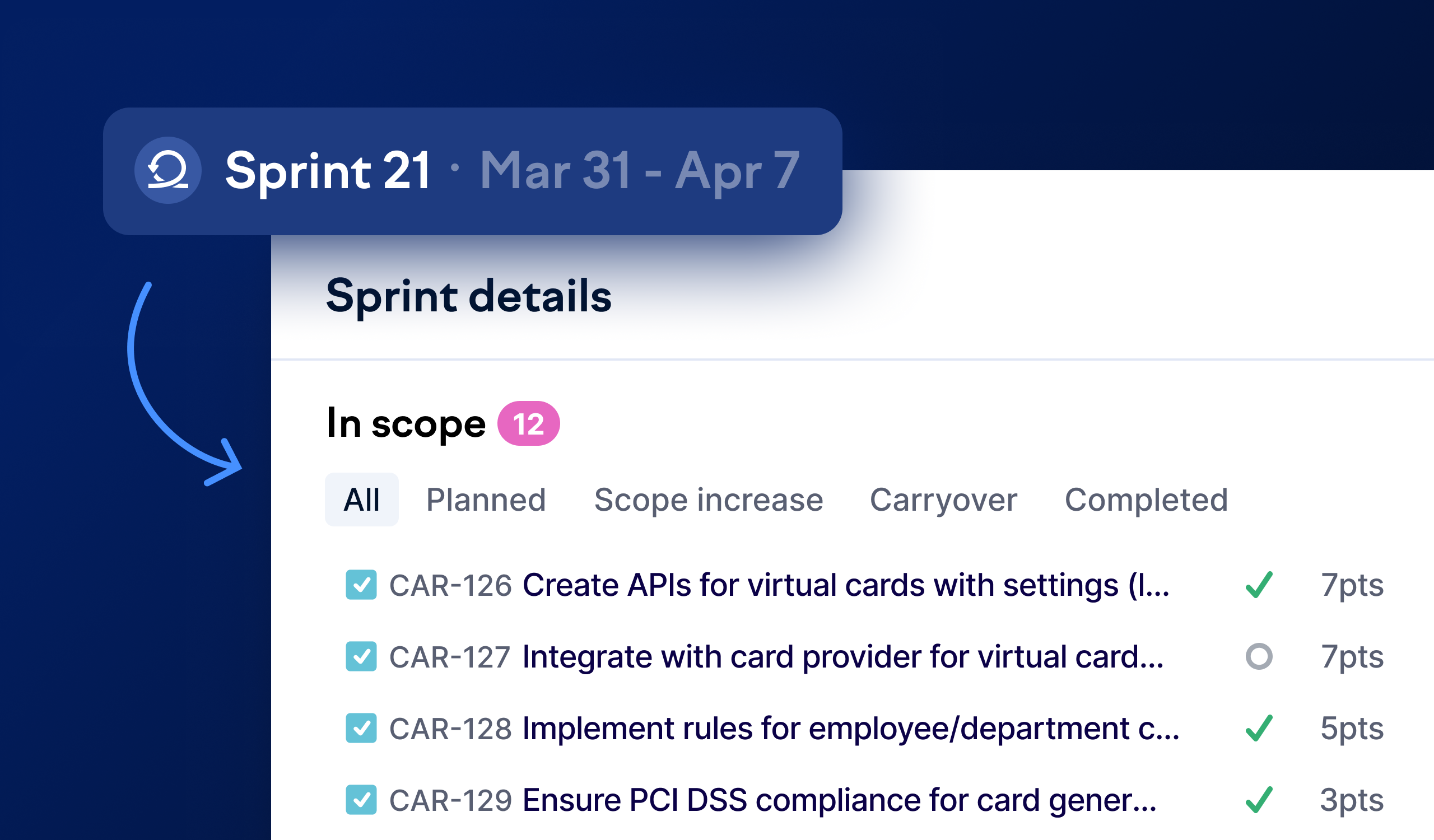
The new drill-down makes it easy to inspect what happened in each sprint. You can filter to see planned issues, scope increases, and carryovers separately. Issues removed from the sprint are shown in their own section, giving you the full picture of sprint changes.
Click any sprint in the chart to see all its issues with story points
### Story points
You can switch to Issues or Story Points mode when your story points are available; otherwise, we will default to issue count. You can also see the Story Points of each issue in the sprint drill-down popup or when you click to view the sprint details as well.
### Investment balance for sprints
Swarmia provides an investment breakdown of issues within each sprint, helping you identify patterns in your work. For example, you might notice that KTLO (keeping the lights on) work is consuming an increasing share of your capacity, or verify that you're meeting goals, such as dedicating over 70% of your effort to building new features.
The balance in sprints uses your primary investment balance breakdown. You can view the breakdown in either story points or issues.
#### Balance in the sprint list view
* For completed or in-progress sprints: shows the balance of completed issues
* For planned sprints: shows the balance of all issues in the sprint
#### Balance in the sprint detail view
When you drill into a specific sprint, you can view the investment balance for both all issues and completed issues. This comparison helps you spot patterns, such as whether your team tends to complete certain types of work more consistently than others.
### Where to find it
You can find Sprint in [app.swarmia.com/sprints](https://app.swarmia.com/sprints), and if you haven't set up the sprint for your team yet, please check out the [Sprint configuration](/settings/team/sprints.md) setup guide.
---
# Agent Instructions
This documentation is published with GitBook. GitBook is the documentation platform designed so that both humans and AI agents can read, navigate, and reason over technical content effectively. Learn more at gitbook.com.
## Querying This Documentation
If you need additional information that is not directly available in this page, you can query the documentation by asking a question.
Perform an HTTP GET request on the following URL with the `ask` and `goal` query parameters:
```
GET https://help.swarmia.com/features/focus/sprints.md?ask=&goal=
```
`ask` is the immediate question: it should be specific, self-contained, and written in natural language.
`goal` is what the user is ultimately trying to achieve, the reason they need the answer. Sharing it helps GitBook give you a better, more relevant answer. A goal is most helpful when it describes the outcome the user wants rather than restating the question. For example, with `ask=how do I create an API token`, a goal like `automate deployments from our CI pipeline` lets GitBook tailor the answer to that use case.
The response will contain a direct answer to the question and relevant excerpts and sources from the documentation.
Use this mechanism when the answer is not explicitly present in the current page, you need clarification or additional context, or you want to retrieve related documentation sections.