# Notes

Swarmia supports annotating your work items with notes to provide extra context that might not otherwise be obvious from the data point. For example, you might look at cycle time outlier pull requests, and annotate why the outlier happened.

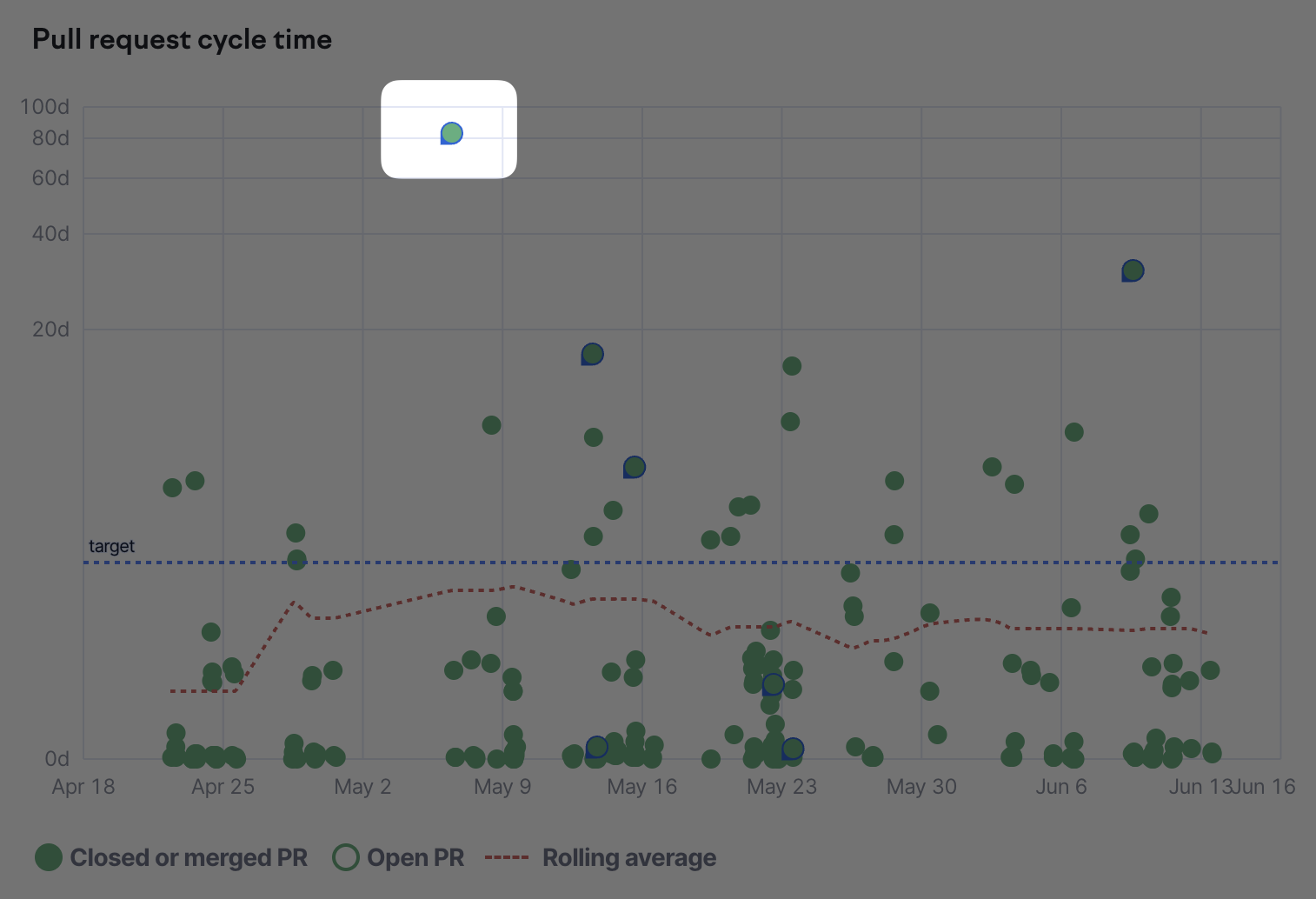
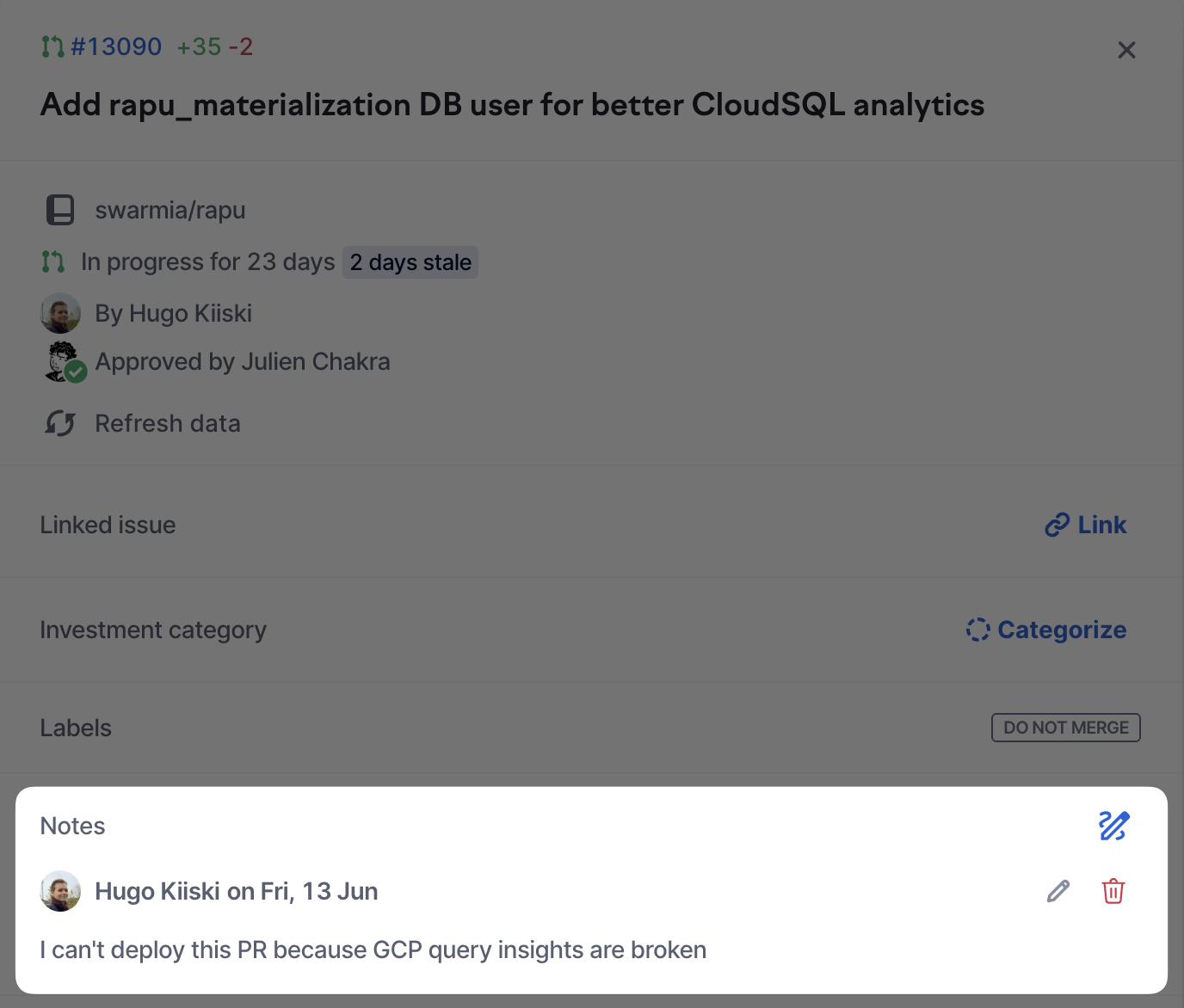
We will in the UI highlight data points that have notes on them:

<figure><img src="https://2772466312-files.gitbook.io/~/files/v0/b/gitbook-x-prod.appspot.com/o/spaces%2FMa8uBmGhQgR7MTPq9yh7%2Fuploads%2Fgit-blob-c9cbf5a38472841ce244414539e974ad7b11550d%2FCleanShot%202025-06-16%20at%2010.20.14%402x.png?alt=media" alt=""><figcaption><p>This PR has one note on it</p></figcaption></figure>

<figure><img src="https://2772466312-files.gitbook.io/~/files/v0/b/gitbook-x-prod.appspot.com/o/spaces%2FMa8uBmGhQgR7MTPq9yh7%2Fuploads%2Fgit-blob-4301d880214bdd04ea94a877130b7c6ce50320aa%2FCleanShot%202025-06-16%20at%2010.20.38%402x.png?alt=media" alt=""><figcaption><p>Work items with notes are highlighted in scatter plots too</p></figcaption></figure>

## Adding notes from the UI

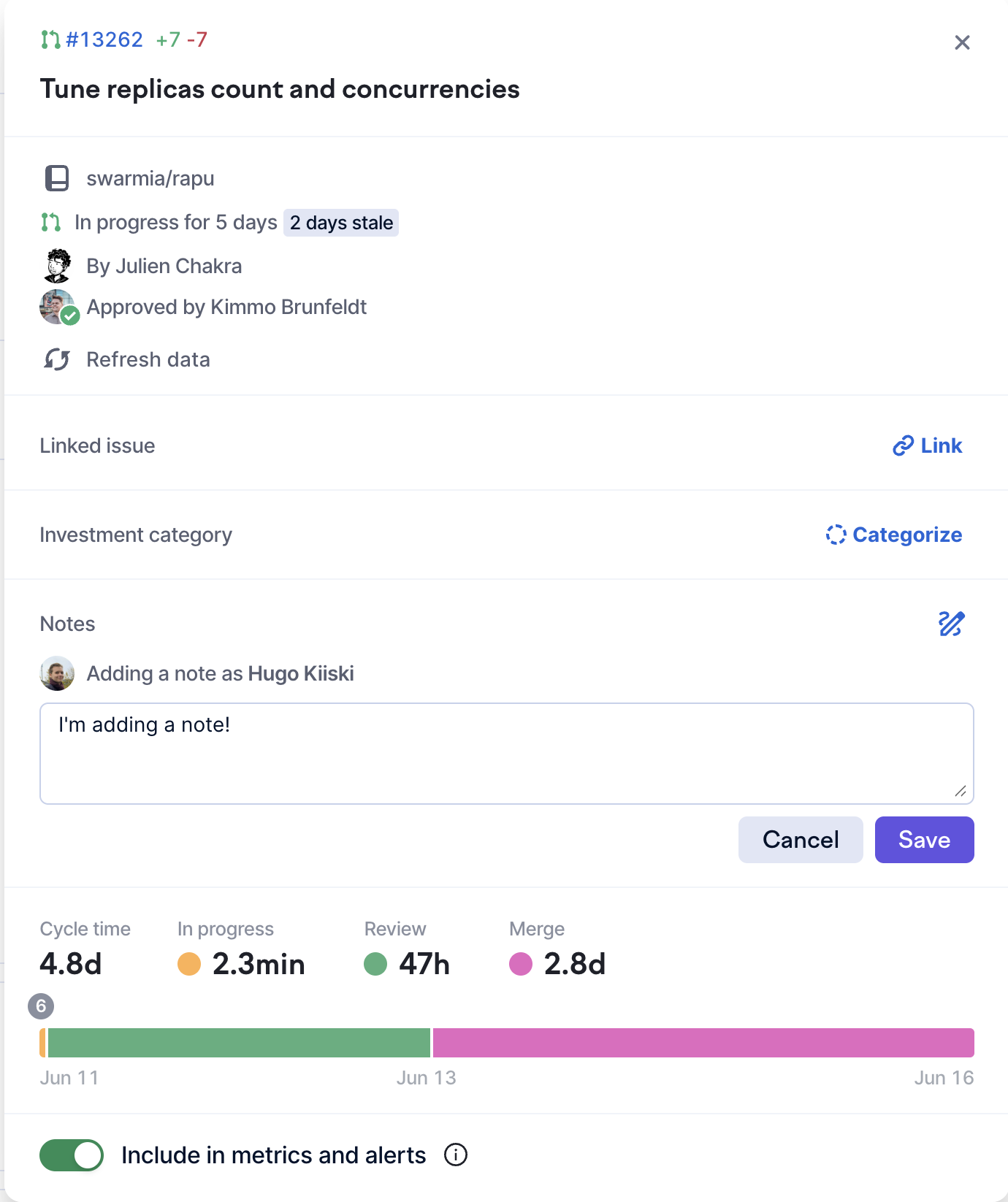
To add notes, simply click on a pull request or issue anywhere in the app to open its popup:

<figure><img src="https://2772466312-files.gitbook.io/~/files/v0/b/gitbook-x-prod.appspot.com/o/spaces%2FMa8uBmGhQgR7MTPq9yh7%2Fuploads%2Fgit-blob-0b48700285f89ebcf4e36eb172af80ce5f6964c7%2FCleanShot%202025-06-16%20at%2010.16.22%402x.png?alt=media" alt=""><figcaption></figcaption></figure>

## Adding notes from outside of the UI

It's also possible to add notes from outside of the Swarmia UI. Currently, the only place supported is Github pull requests.

Tag the Github bot with `@swarmia <note>` and it will be added as a note to that pull request:

<figure><img src="https://2772466312-files.gitbook.io/~/files/v0/b/gitbook-x-prod.appspot.com/o/spaces%2FMa8uBmGhQgR7MTPq9yh7%2Fuploads%2Fgit-blob-9b87a2d792d22ed87fb4ada0ad09ccdeef48a6d5%2FCleanShot%202025-06-16%20at%2010.44.31%402x.png?alt=media" alt=""><figcaption><p>You can tag the Swarmia Github bot to easily add notes while you're working on your pull requests</p></figcaption></figure>

<figure><img src="https://2772466312-files.gitbook.io/~/files/v0/b/gitbook-x-prod.appspot.com/o/spaces%2FMa8uBmGhQgR7MTPq9yh7%2Fuploads%2Fgit-blob-b35ba2db52237123ad89ce33ad2ff55f07ee5c5f%2FCleanShot%202025-06-16%20at%2010.44.52%402x.png?alt=media" alt=""><figcaption><p>The note becomes visible in the Swarmia UI</p></figcaption></figure>

## Editing notes

Existing notes can be edited or deleted by either:

1. The author of the note
2. Any Swarmia user with the admin role